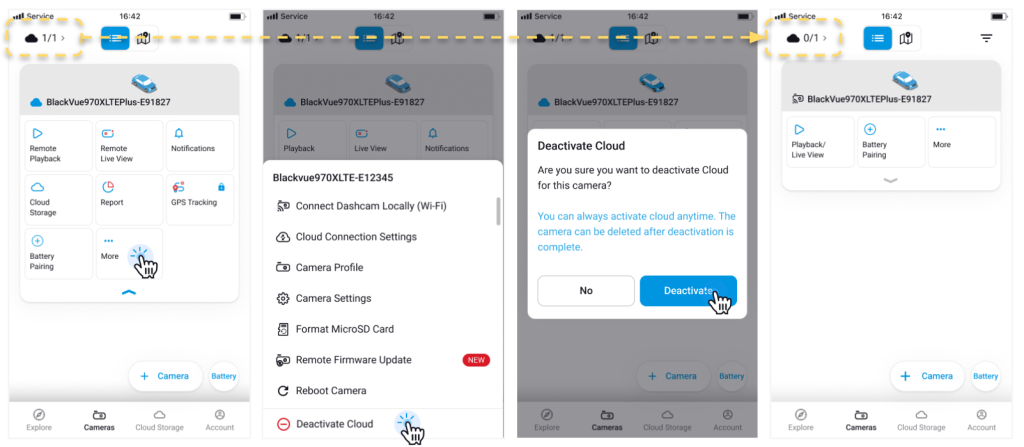
🚫How to deactivate a Cloud Camera Deactivating a camera from the cloud will switch it to normal camera. 🔧 To deactivate a cloud camera Tap the “More” (⋮) button next to the cloud camera. Tap “Deactivate Cloud.” Read the confirmation pop-up and tap “Deactivate” to confirm. The cloud camera will now appear as a normal camera in your list.