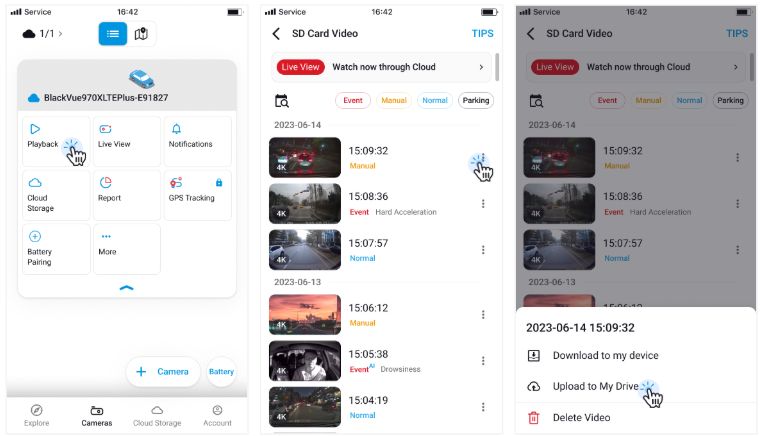
📤 How to upload videos to My Drive You can manually upload videos from your dashcam to My Drive for safekeeping. Tap Playback on your Wi-Fi or Cloud camera. Open the submenu (⋮) next to the video you want to save. Tap “Upload to My Drive.” Choose the video quality and camera direction (e.g., front/rear). The upload will begin automatically.